

Imagine driving down the road, feeling confident with your dash cam silently recording every moment. But what if you could make your dash cam even more effective?
This is where the “Car Number Set” feature comes into play. You might be wondering what this feature is and why it’s important for you. It’s a simple yet powerful tool that can enhance your dash cam’s capabilities and ensure vital information is readily available when you need it most.
By setting your car number on your dash cam, you are not just personalizing your device, but also adding an extra layer of security and accuracy to your recordings. Whether you’re involved in an accident or need to report an incident, having your car number displayed on the footage can be incredibly helpful. Curious to learn more? Dive into this article to discover how this feature works, why you should use it, and the steps to set it up on your dash cam. Unlock the full potential of your dash cam and drive with peace of mind knowing that you’re prepared for any situation.
Car Number Set Functionality
Dash cams have become essential for drivers worldwide. They capture crucial footage during travel, providing evidence when needed. A key feature is the ‘Car Number Set’ functionality. This feature allows the user to input their vehicle’s registration number into the dash cam. The number then appears on all recorded footage. It enhances the usefulness and credibility of the recordings.
Benefits Of Car Number Set Functionality
The car number set feature offers multiple benefits. Firstly, it personalizes your footage. This helps in identifying your recordings easily. Secondly, it strengthens legal evidence. Recordings with visible car numbers are more credible in disputes. Thirdly, it deters misuse. The number display can discourage unauthorized use of your footage.
How To Set Up Car Number On Dash Cam
Setting up the car number is simple. Start by accessing the dash cam’s settings menu. Look for the ‘Car Number’ or ‘Vehicle ID’ option. Enter your vehicle’s registration number carefully. Save the changes to ensure it appears on future footage. This process varies slightly between dash cam models.
Some users face issues while setting up. If the number does not display, double-check your input. Ensure no spaces or special characters are included. If problems persist, refer to your dash cam’s manual. Some models require firmware updates for new features. Regular updates can resolve display issues effectively.

Credit: www.amazon.com
Importance Of Car Number In Dash Cams
Dash cams have become essential for drivers worldwide. They record vital footage during drives, offering security and evidence. Capturing the car number is crucial. It helps identify vehicles in incidents. This feature enhances the dash cam’s value and utility.
Understanding The Role Of Car Numbers
Car numbers are identifiers. They are unique to each vehicle. Dash cams that capture these numbers provide clear evidence. This helps resolve disputes after accidents. It ensures accountability and transparency.
Legal Benefits
Recorded car numbers on dash cams can serve legal purposes. They provide proof in court cases. They support claims in insurance disputes. This feature adds credibility to your evidence.
Security Enhancement
Dash cams with car number recording boost security. They deter potential thefts. Criminals are less likely to act when they know they are recorded. This helps in maintaining public safety.
Accident Documentation
Accidents can happen unexpectedly. Dash cams that record car numbers ensure detailed documentation. They capture important details quickly. This aids in understanding the accident’s cause.
Insurance Claims Support
Insurance claims need evidence. Dash cams provide it. Recorded car numbers help validate claims. They reduce the risk of fraudulent claims. This ensures faster claim processing.
Steps To Set Car Number
Setting your car number on a dash cam might seem like a small step, but it’s crucial for effective footage documentation. Imagine the ease of identifying your vehicle in a crowded parking lot or even during a road mishap. It’s a simple process, yet it holds significant importance. Here’s how you can set your car number on your dash cam effortlessly.
Accessing Dash Cam Menu
Begin by turning on your dash cam. Locate the menu button, usually marked with an icon or labeled explicitly. Press it to navigate through the options. This is where technology meets simplicity—most dash cams have user-friendly interfaces, making it easy for anyone to access the menu. Have you ever found yourself fumbling through tech devices just to find one setting? Thankfully, dash cams are designed to minimize such frustrations.
Entering Vehicle Information
Once in the menu, look for the option to input vehicle details. Typically, there’s a specific section for car number entry. Use the device’s navigation buttons to enter your car number. Many dash cams offer a virtual keyboard—think of it as typing a text message on your phone. It’s straightforward, but have you ever wondered how this small act can help in pinpointing your car in varied situations?
Saving And Exiting
After entering the details, ensure they’re saved correctly. Look for a save button or confirmation prompt. Press it to store your information. Finally, exit the menu by using the back button or selecting the exit option. This step ensures your car number is securely stored in the dash cam’s memory. Isn’t it satisfying to know that with just a few clicks, your dash cam is now equipped with your car number, ready for any situation?
_market.webp)
Credit: www.fortunebusinessinsights.com
Benefits Of Using Car Number Feature
Dash cams have become an essential tool for drivers, providing a sense of security and peace of mind. One of the standout features is the car number set, which can significantly enhance your driving experience. By embedding your vehicle’s number into video footage, you unlock several benefits that can protect you and your vehicle.
Enhanced Security
Imagine you are involved in a minor accident or witness one. The car number feature on your dash cam automatically records your license plate, providing clear evidence of your involvement or presence. This can be crucial in situations where you need to prove your car was or wasn’t at a certain location. You can rest assured knowing that your dash cam is capturing important data without you needing to remember to manually document it.
Accurate Record Keeping
Keeping accurate records is vital for any driver. With the car number feature, you can easily track instances where you might have been wrongfully accused or need to verify details for insurance claims. Have you ever struggled to recall the exact date or time of a minor incident? The car number feature ensures every detail is captured, helping you maintain precise records without relying solely on memory.
The car number set on your dash cam is more than just a tech feature—it’s a tool that elevates your driving experience by providing security and accuracy. How might your driving habits change if you know every journey is accurately recorded? Consider the peace of mind and potential time savings when dealing with disputes or claims.
Troubleshooting Common Issues
Dash cams have become a staple for car enthusiasts and daily commuters alike, offering peace of mind and a reliable witness during unexpected events on the road. However, like any piece of technology, they can occasionally present challenges. One such feature that may require troubleshooting is the car number set on the dash cam. Addressing common issues with this feature can enhance your experience and ensure accurate recordings.
Incorrect Display
Have you ever glanced at your dash cam footage only to find the car number displayed incorrectly? This can be frustrating, especially if the footage is needed for insurance claims or legal purposes. Often, this issue stems from initial setup errors or firmware glitches.
Start by checking the dash cam settings menu. Ensure that the car number is entered correctly and matches the registration details. If the settings appear correct, consider updating the firmware. Manufacturers frequently release updates to fix bugs and improve functionality.
Resetting The Feature
If incorrect displays persist, resetting the car number feature might be the solution. This process is usually straightforward and can resolve many underlying issues. You’ll want to access the dash cam’s settings and locate the reset option for the car number.
After resetting, carefully re-enter the car number, ensuring accuracy. This step can often resolve display errors and restore the dash cam’s functionality. Remember, a little patience and precision can go a long way in troubleshooting tech problems.
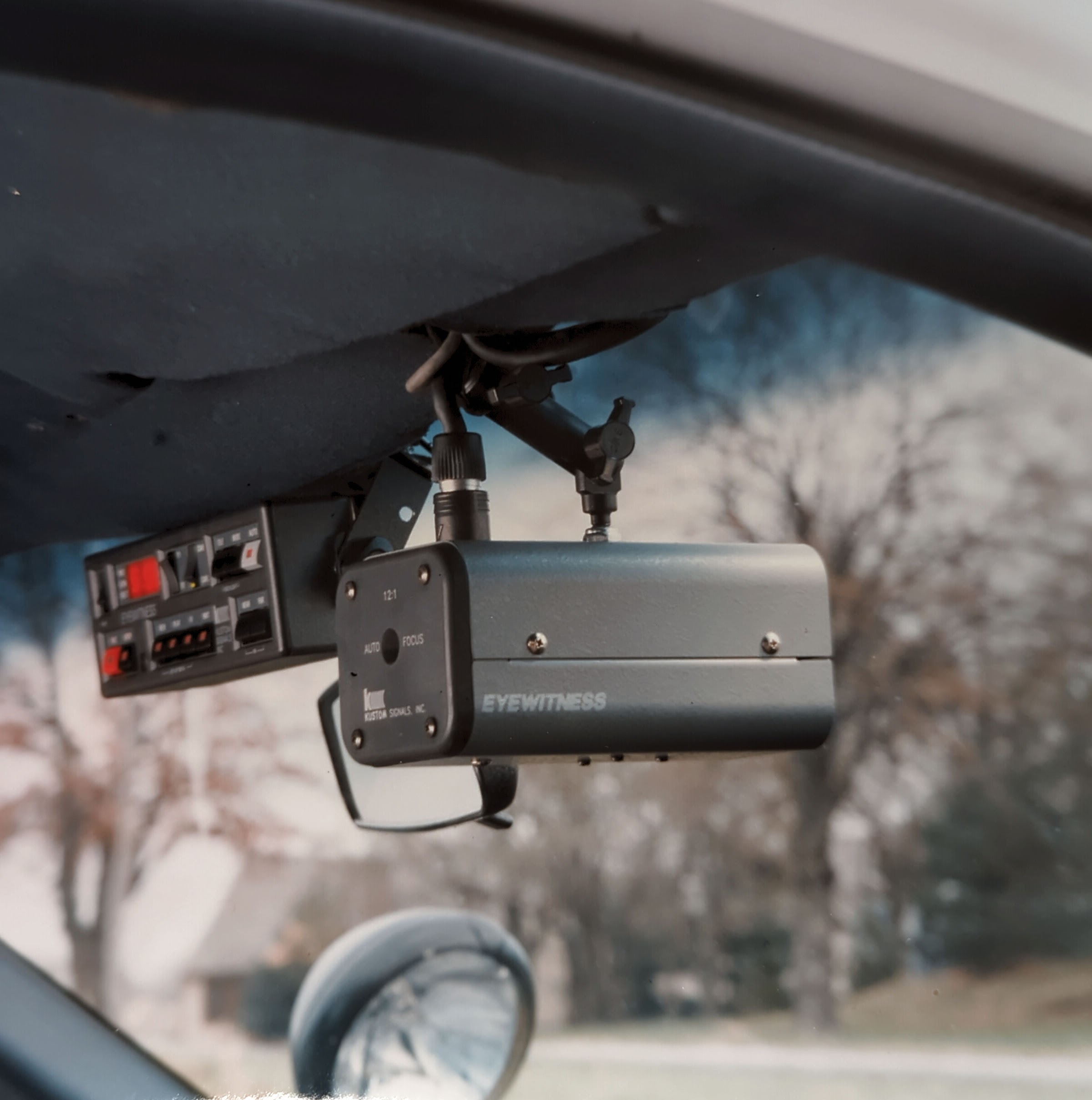
Encountering issues with your dash cam can be frustrating, but addressing them head-on ensures you have reliable footage when you need it most. What other features have you found challenging, and how did you overcome them?
Credit: kustomsignals.com
Frequently Asked Questions
What Is A Car Number Set On A Dash Cam?
A car number set on a dash cam refers to the feature allowing you to input your vehicle’s registration number. This feature helps in identifying your vehicle in recorded footage, making it useful for security, insurance claims, and legal purposes.
How To Set Car Number On Dash Cam?
To set your car number on a dash cam, access the settings menu. Look for an option labeled “Car Number” or “License Plate. ” Enter your vehicle’s registration number and save the changes. Refer to your dash cam’s user manual for specific instructions.
Why Is Car Number Important On Dash Cams?
The car number on a dash cam is crucial for identifying your vehicle in recorded footage. It aids in distinguishing your vehicle from others, especially in incidents involving multiple cars. This can be beneficial for insurance claims and legal evidence.
Can Dash Cams Display Car Numbers On Videos?
Yes, most dash cams can display car numbers on recorded videos. This feature is typically found in the settings menu, where you can input your vehicle’s registration number. The car number then appears as an overlay on the video, assisting in vehicle identification.
Conclusion
Understanding car number sets on dash cams is crucial. They help identify vehicles in recordings. This feature is essential for safety and security. It provides clear vehicle identification in footage. Dash cams with this feature offer peace of mind. They assist in accident claims and legal matters.
Easy to use and reliable. Consider this feature when choosing a dash cam. It enhances the effectiveness of your device. A small detail that makes a big difference. Ensure your dash cam supports this useful feature. Your driving experience becomes safer and more accountable.