

Imagine reversing out of a parking spot with complete confidence, knowing you have a clear view of everything behind your car. Sounds great, right?
If you’ve ever felt the anxiety of backing up without a backup camera, you’re not alone. The good news is, adding a backup camera to your car is easier than you might think, and it can transform the way you drive.
You deserve a driving experience that’s not only safe but stress-free. With a backup camera, you can eliminate blind spots and protect yourself, your passengers, and pedestrians from potential accidents. Whether you’re a seasoned DIYer or just starting out, this guide will walk you through the process step by step. By the end of this article, you’ll know exactly how to enhance your car with this invaluable technology. Get ready to drive with peace of mind and make every parking maneuver a breeze. Keep reading to discover how you can upgrade your vehicle and enjoy a safer driving experience.

Credit: www.youtube.com
Choosing The Right Backup Camera
Adding a backup camera to your car enhances safety. Select a camera compatible with your vehicle’s model and wiring. Consider features like night vision and wide-angle views for optimal performance.
Choosing the right backup camera for your car can feel like navigating a maze. With so many options available, how do you know which one is the best fit for your needs? Let’s break it down into simple steps to help you make an informed decision.Types Of Backup Cameras
Backup cameras come in several styles, each with its own advantages. – Wireless Cameras: These are easy to install and remove as they don’t require running wires through your car. They’re a great choice if you prefer a less invasive setup. – Wired Cameras: Known for their reliability and consistent signal quality. If you’re comfortable with a bit more installation effort, this option ensures a stable connection. – License Plate Cameras: These mount directly on your license plate frame. They offer a seamless look and are ideal if you want a camera that doesn’t stand out. – Dash-Mounted Cameras: Perfect for those who want a multi-functional device. Apart from backing up, these cameras often double as dash cams for front-view recording. Which type suits your lifestyle? Consider how you use your vehicle and your comfort with installation.Features To Consider
Not all backup cameras are created equal. Here are some features to keep an eye on: – Resolution: Higher resolution means clearer images. Aim for at least 720p for a decent view. – Night Vision: Essential if you drive in low-light conditions. Check for infrared LEDs or low-light sensors. – Field of View: A wider field of view provides a better perspective of your surroundings. Look for cameras with at least a 120-degree angle. – Waterproofing: Ensure the camera is weatherproof to withstand rain and dust. Look for an IP67 or higher rating. – Integration: Some cameras can integrate with your existing car display, reducing the need for extra screens. Think about which features are non-negotiable for your driving habits. Do you often park in tight spots or drive in the dark? Tailor your choice to meet these needs.Budget-friendly Options
Adding a backup camera doesn’t have to break the bank. – Basic Models: These offer essential features like decent resolution and night vision at a lower price point. Brands like eRapta or LeeKooLuu provide reliable options under $50. – Mid-Range Models: For a bit more, you can get additional features like a wider field of view or better integration. Consider brands like Auto-Vox or Pyle for options in the $50-$100 range. – High-End Models: If you’re looking for top-notch quality with advanced features, cameras like those from Garmin or Pioneer might be worth the investment, often priced above $100. What’s your budget? Remember, the most expensive option isn’t always the best for your needs. Focus on the features that matter most to you and find a balance between cost and functionality. By understanding these key aspects, you can confidently choose a backup camera that enhances your driving experience and safety.Gathering Necessary Tools
Installing a backup camera in your car can enhance safety. Before starting, gather the right tools. Having everything ready makes the installation smoother. Let’s explore the essential tools and optional ones that can make the job easier.
Basic Tools Needed
Begin with the basic tools for installation. These tools are crucial:
- Screwdrivers:Both Phillips and flathead types are essential.
- Wire cutters and strippers:For clean and precise wire handling.
- Electrical tape:To secure wire connections safely.
- Drill:Use a small drill for precise mounting holes.
- Wrench set:Ensure you have different sizes for bolt adjustments.
Optional Tools For Ease
Some tools can make the process easier. Consider these optional tools:
- Multimeter:Helps check electrical connections.
- Fish tape:Useful for running wires through tight spaces.
- Heat shrink tubing:Provides a secure and professional finish to wires.
- Zip ties:Keep wires organized and tidy.
- Socket set:Useful for varied bolt sizes and tight spots.
Gathering these tools ensures you’re prepared for installation. It minimizes frustration and delays. Proper preparation leads to a seamless installation process. Enjoy the added safety of your backup camera.
Preparing Your Vehicle
Enhance your driving experience by adding a backup camera to your car. Begin by researching compatible camera models for your vehicle. Gather necessary tools and follow installation instructions carefully for a seamless setup.
Installing a backup camera can greatly enhance your driving experience. Ensuring safety and convenience for you and your passengers. Before diving into the wiring and mounting, it’s essential to prepare your vehicle. This involves identifying the best location for installation and properly cleaning the area. These steps are crucial to ensure the camera functions optimally.Identifying Installation Location
The first step is choosing where to mount the camera. Most cameras fit well near the license plate. This spot offers a clear view of the road behind. Check if there’s enough space for the camera. Make sure it won’t obstruct other features. You might also consider the rear bumper. This option may require additional drilling. Ensure all wires can reach the camera without stretching.Cleaning And Prepping The Area
Clean the area where the camera will be mounted. Use a soft cloth and mild detergent. Remove any dirt or debris. A clean surface helps the adhesive stick better. It prevents any issues with camera alignment. After cleaning, dry the area completely. A dry surface ensures the camera remains secure. Double-check for any remaining dust or moisture.Installing The Camera
Installing a backup camera can enhance safety when reversing your car. Begin by selecting a camera compatible with your vehicle. Follow the manufacturer’s instructions to connect the camera to your car’s existing wiring system.
Installing a backup camera in your car can significantly enhance your driving experience by boosting safety and convenience. Whether you’re a DIY enthusiast or just someone looking to save some money, adding this feature can be a satisfying project. Let’s explore the installation process, making it simple and straightforward for you.Mounting The Camera
The first step in your installation journey is mounting the camera. Most backup cameras are mounted near the license plate, providing a clear view of the rear. Before drilling any holes, double-check the positioning to ensure it captures the desired angle. Use a bracket or adhesive mount, depending on your camera model. If drilling is necessary, measure twice to avoid any mistakes. Secure the camera firmly, ensuring it won’t wobble or shift while driving.Connecting The Wiring
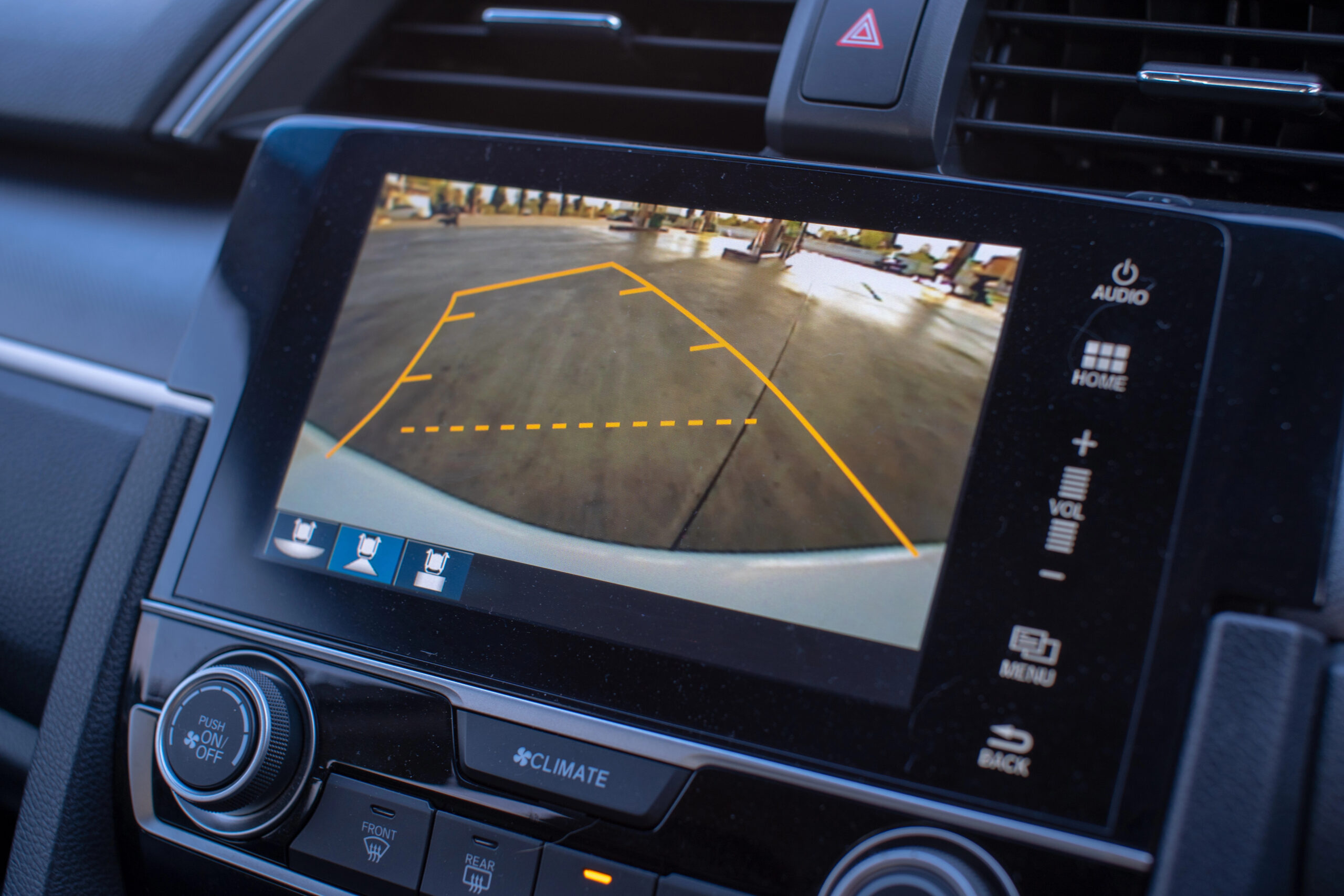
Once the camera is mounted, it’s time to tackle the wiring. This might seem daunting, but with a little patience, you can manage it smoothly. Most cameras come with a power cable and a video cable. Connect the power cable to the reverse light of your car. This ensures the camera activates only when you’re reversing. If you’re unsure about locating the reverse light wire, consult your car’s manual or seek online tutorials specific to your car model. Next, route the video cable from the camera to your dashboard or the location of your display screen. Tuck the cables neatly under the car’s trim or carpet to prevent them from getting tangled or damaged. Finally, test the camera before finalizing everything. Engage the reverse gear to see if the display shows the camera feed. Adjust any connections if needed, and enjoy your newly installed backup camera with peace of mind.Setting Up The Monitor
Setting up the monitor for your backup camera is a crucial step that can greatly impact your driving experience. A well-positioned monitor ensures you get a clear view of what’s behind your car, helping to enhance safety and convenience. Let’s explore the different types of monitors available and the best practices for positioning your display.
Types Of Monitors
When choosing a monitor for your backup camera, you have several options:
- Dash-mounted monitors:These are small screens that sit on your dashboard. They are compact and offer easy access, but make sure they don’t obstruct your view.
- Rearview mirror monitors:These monitors replace your existing rearview mirror, providing a seamless integration. While they offer a clean look, ensure they offer high resolution for clear visibility.
- In-dash screens:If your car has a built-in screen, you can connect your backup camera directly to it. This option offers the best integration but might require professional installation.
Have you considered how the type of monitor might affect your daily driving routine?
Positioning The Display
Where you place your monitor can make all the difference. Here are some tips for optimal positioning:
- Eye-level placement:Ensure your monitor is at eye level to reduce distractions and allow quick glances while driving.
- Minimize glare:Position the monitor to avoid direct sunlight that can cause glare, making the screen difficult to see.
- Accessibility:The monitor should be within easy reach for adjustments without taking your focus off the road.
Personal experience can be a great guide. Once, I installed a dash-mounted monitor too high, and it was a constant struggle with glare. After repositioning it, the screen was crystal clear, making backing up a breeze.
Consider how a small change in positioning might improve your view and potentially prevent mishaps.
Credit: jerry.ai
Testing The System
Testing the system ensures your newly installed backup camera works smoothly. Check the display for clear visuals and proper alignment. Adjust settings if needed to enhance your driving safety.
Testing the system is crucial after installing a backup camera. It ensures everything works correctly. This step involves checking the camera alignment and signal transmission. Proper testing guarantees a safe driving experience. Follow these guidelines to ensure your backup camera functions optimally.Checking Camera Alignment
Align the camera correctly to capture the right view. It should show the rear area without any obstructions. Adjust the camera angle if the view is not clear. Use the screen inside the car to confirm the alignment. This helps in avoiding blind spots. Proper alignment prevents accidents by providing a clear rear view.Ensuring Signal Transmission
Check the signal transmission between the camera and display. Ensure the image on the screen is clear and stable. Interference can cause a blurry or delayed image. Test the connection wires for any loose ends. Secure the wiring to maintain stable signal transmission. A clear image ensures safe reversing and parking.Troubleshooting Common Issues
Installing a backup camera in your car can sometimes be tricky. Check for loose connections if the camera isn’t working. Ensure the wiring is secure and the monitor is properly connected.
Adding a backup camera to your car can be a game-changer for enhancing safety and convenience. Yet, like any tech upgrade, it sometimes comes with a few hiccups. Knowing how to troubleshoot common issues can save you time and frustration. Dive into the most typical challenges and learn how to tackle them effectively.Image Quality Problems
Poor image quality can be frustrating, especially when you rely on your backup camera for a clear view. Start by checking the camera lens for dirt or smudges; a quick clean can often solve the problem. Ensure your camera is securely mounted to prevent vibrations that might blur the image. Consider the lighting conditions. Cameras can struggle in low-light or overly bright environments. Adjust the angle or add supplementary lighting if needed. If the image is consistently poor, check the camera settings to see if adjustments can enhance clarity.Connection And Signal Loss
Nothing is more annoying than a camera that loses connection when you need it most. Begin by inspecting the wiring for loose or damaged connections. Secure all connections and replace any faulty cables. Interference from other electronics can disrupt the signal. Ensure your camera and receiver are placed away from devices emitting strong electromagnetic fields. If you’re experiencing persistent issues, consider upgrading to a more reliable wireless system or using a wired connection for stability. A practical tip: Keep a multimeter handy to test the continuity of your wires. This can quickly identify any breaks or shorts, helping you pinpoint the issue efficiently.Maintenance Tips
Adding a backup camera improves safety and convenience. Start by choosing a compatible camera for your car model. Follow the installation guide carefully to ensure proper placement and wiring.
Maintaining your backup camera ensures it works efficiently and lasts longer. A well-maintained camera provides clear images, which is crucial for safe driving. Here are some essential maintenance tips to keep your backup camera in top shape.Regular Cleaning
Dirt and debris can obscure the camera lens. Regular cleaning is important. Use a soft, damp cloth to wipe the lens gently. Avoid harsh chemicals that may damage the lens coating. For tough spots, a mild soap solution can help. Ensure the lens is dry to prevent water spots. Clean the camera at least once a week.Routine Checks
Check the camera’s position and alignment regularly. Ensure it provides a clear rear view without obstructions. Inspect the wiring for any signs of wear or damage. Loose connections can lead to a malfunctioning camera. Test the camera before starting your journey. Make sure the display shows a clear image. Perform these checks monthly to ensure optimal performance.
Credit: www.youtube.com
Frequently Asked Questions
What Is The Cost To Install A Backup Camera?
The cost to install a backup camera varies widely. It can range from $100 to $500. Factors like camera type, professional installation fees, and additional features influence the price. DIY installation could save money, but professional help ensures optimal functioning.
Can I Install A Backup Camera Myself?
Yes, you can install a backup camera yourself. DIY kits are available and typically include instructions. Basic tools and automotive knowledge are required. However, professional installation ensures proper alignment and avoids technical issues. Weigh the pros and cons before deciding on self-installation.
Which Backup Camera Is Best For My Car?
Choosing the best backup camera depends on your car model and needs. Look for cameras with high resolution, wide-angle views, and night vision. Wireless models offer easy installation but may have connectivity issues. Consider user reviews and expert recommendations for informed choices.
Are Backup Cameras Worth The Investment?
Backup cameras are a valuable investment for safety and convenience. They reduce blind spots and enhance rear visibility. This minimizes the risk of accidents. The technology offers peace of mind, especially in crowded areas. Improved safety features can also increase a vehicle’s resale value.
Conclusion
Installing a backup camera enhances your driving safety significantly. It’s a straightforward process. Start by choosing the right camera for your car. Follow the installation steps carefully. Test the system to ensure it works correctly. A backup camera helps prevent accidents and gives you peace of mind.
Whether parking or reversing, it provides a clear view behind. This small upgrade can make a big difference. Enjoy safer driving with this useful addition. Your vehicle, equipped with a backup camera, is now safer for you and your loved ones.