

Have you ever wondered if your Vava Dash Cam keeps an eye on your car even when it’s turned off? You want to protect your vehicle from unexpected damage or theft, but you’re not sure if your dash cam is still working when the engine isn’t running.
Knowing this can save you from costly surprises and give you peace of mind. You’ll discover how the Vava Dash Cam operates when your car is off and what that means for your security. Keep reading to find out if your dash cam is truly watching over your car around the clock.
Vava Dash Cam Features
The Vava Dash Cam offers a range of practical features designed to keep your vehicle safe and provide clear footage whether you’re driving or parked. Understanding these features helps you decide if this dash cam meets your needs, especially when it comes to its operation while your car is off. Let’s take a closer look at what makes the Vava Dash Cam stand out.
Key Specifications
- Wide Angle Lens:155-degree field of view captures more of the road and surroundings.
- Loop Recording:Automatically records over the oldest footage to save storage space.
- G-Sensor:Detects sudden impacts and locks important videos to prevent overwriting.
- Parking Mode:Monitors your car while parked to catch any incidents.
- Storage:Supports microSD cards up to 128GB for extended recording time.
These specs make it clear that Vava Dash Cam is not just an ordinary camera; it’s built for real-world challenges on and off the road.
Power Requirements
Powering the Vava Dash Cam when your car is off is a common concern. The dash cam typically draws power from your vehicle’s cigarette lighter or USB port.
To keep it running while parked, you’ll need a constant power source like a hardwire kit connected to your car battery. This setup ensures the camera’s parking mode stays active, recording any motion or impacts.
Think about whether your car supports such wiring. If not, you might miss out on continuous protection when the engine is off.
Video Quality
The Vava Dash Cam records in 1080p Full HD, delivering sharp and clear footage. This quality is enough to read license plates and see important details during both day and night.
Its night vision feature enhances visibility in low light, which is crucial for parking surveillance. A clear video could make all the difference if you need to provide evidence after an incident.
Have you ever struggled with blurry or pixelated dash cam footage? The Vava’s video quality aims to eliminate that frustration, giving you reliable recordings every time.
Power Modes Explained
Understanding how the Vava Dash Cam operates under different power conditions is key to getting the most out of your device. Power modes determine whether your dash cam stays active or shuts off when your car’s engine is off. Let’s break down these modes to help you decide how to set up your dash cam for maximum protection.
On Vs Off Car Power
Your Vava Dash Cam typically runs off your car’s battery. When the car is on, the dash cam receives constant power and records continuously without interruption. But what happens when you turn off the engine?
Most dash cams, including Vava, will turn off automatically to save battery unless they have a special power mode enabled. This means no recording occurs once your car is off, unless you’ve set up a feature like parking mode. Have you ever wondered if your dash cam can keep an eye on your car even when you’re not driving? That’s where these power distinctions matter.
Battery Backup Options
Some Vava Dash Cam models come with a built-in battery or capacitor that offers limited recording time after the car is off. This backup power usually lasts just a few minutes—enough to save the last recording when the car shuts down.
If you want longer monitoring, you might consider an external battery pack or a hardwire kit. These options supply power independently from your car’s engine, letting your dash cam record for hours while parked. Think about your usual parking duration and whether you need this extended protection.
Parking Mode Functionality
Parking mode is a feature designed to keep your dash cam active when your vehicle is off. It uses either motion detection or impact sensors to start recording only when something happens near your car. This helps conserve power while still protecting your vehicle from hit-and-runs or vandalism.
Activating parking mode requires a steady power source—either through your car’s battery with a hardwire kit or an external battery backup. Without this, the dash cam will not record once the engine is off. Do you park in high-risk areas where this added security could save you stress later?
Dash Cam Operation When Car Is Off
Dash cams help record video while driving. Many drivers wonder if their dash cam works when the car is off. This feature is important for security during parking. It ensures the camera keeps watching for any incidents or damage.
How Vava Dash Cam Responds
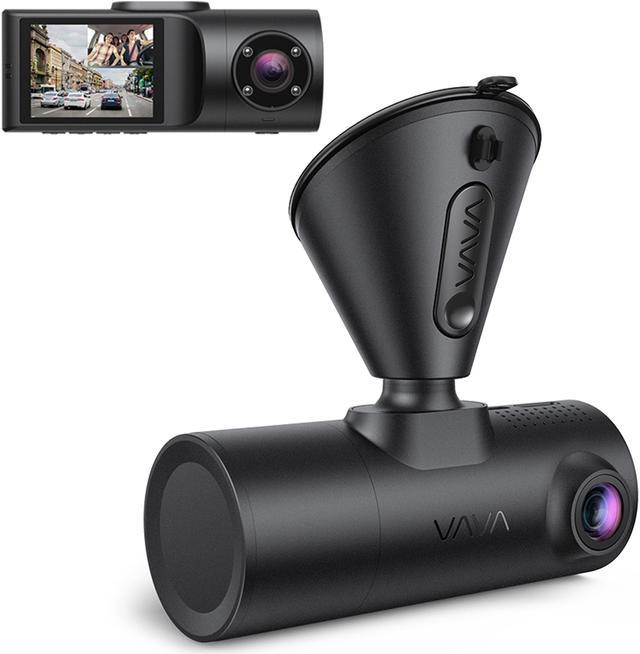
The Vava dash cam has a parking mode. It activates when the car is off but still has power. The camera records motion or impacts. It does not record all the time to save battery. It starts only when it detects movement near the car.
Impact On Battery Life
Running a dash cam while the car is off uses battery power. Vava dash cams use low energy in parking mode. Still, long parking times may drain the car battery. Many users connect the dash cam to a separate power source. This prevents battery drain and keeps the cam active.
Common User Experiences
- Dash cam activates and records events during parking.
- Some users notice slight battery drain after long parking.
- Users appreciate alerts when motion or impact is detected.
- Many find the parking mode useful for added car protection.
Credit: www.newegg.com
Setting Up Parking Mode
Setting up parking mode on your Vava Dash Cam allows it to monitor your car even when the engine is off. This feature helps capture events like bumps or vandalism while you are away. Proper setup ensures the camera reacts promptly and saves important footage without draining your car’s battery.
Activating Parking Mode
Turn on the dash cam and access the settings menu. Look for the parking mode option and enable it. Some models may require connecting to a constant power source or using a hardwire kit. This keeps the camera powered without the engine running. Confirm activation by checking the indicator light or screen message.
Adjusting Sensitivity
Set the motion detection level to match your parking environment. Higher sensitivity detects smaller movements but may cause false alerts. Lower sensitivity reduces false alarms but might miss minor incidents. Test different settings to find the best balance. Use simple increments to avoid confusion and ensure reliable detection.
Storage Management
Parking mode can use significant storage space. Use a high-capacity memory card to avoid frequent overwrites. Enable loop recording to save new footage by deleting the oldest files automatically. Regularly check and format the card to maintain smooth operation. Organize files to quickly find important clips when needed.
Troubleshooting Power Issues
Troubleshooting power issues with your Vava dash cam can be tricky, especially if you rely on it to record even when your car is off. Understanding why the dash cam might not be working as expected helps you fix the problem quickly and avoid frustration. Let’s look at some common power-related problems and how you can address them.
Dash Cam Not Recording
If your Vava dash cam stops recording when the car is off, check the parking mode settings first. This feature allows the camera to keep recording using the car’s battery or its internal battery when the ignition is off. Make sure parking mode is enabled in the settings menu.
Also, inspect the power connection. The dash cam might be connected only to the ignition power line, which cuts off power when the car shuts down. Using a constant power source or a hardwire kit can solve this issue and keep your dash cam active.
Battery Drain Concerns
Are you worried about your car battery dying because of the dash cam? This is a valid concern, especially if the dash cam is powered continuously when the car is off. Some users have reported significant battery drain after leaving their dash cam running overnight.
You can prevent this by setting a voltage cutoff in your dash cam’s settings. This feature stops the camera from drawing power once the car battery reaches a low level, protecting your battery from excessive drain. It’s a smart way to balance recording needs with battery health.
Firmware Updates
Outdated firmware can cause power-related glitches in your dash cam’s operation. Vava regularly releases updates that improve performance and fix bugs. Check the Vava app or website for the latest firmware version and update your dash cam accordingly.
Updating firmware can sometimes resolve issues like the dash cam not recording when the car is off or sudden power shutdowns. Have you checked your firmware lately? It might be the simple fix your dash cam needs.
Comparing Vava To Other Dash Cams
Vava dash cams often offer parking mode, allowing recording even when the car is off. Some other dash cams lack this feature or need extra power sources. This makes Vava a strong choice for continuous security.
Comparing Vava to other dash cams can help users make informed choices. Dash cams vary in features, efficiency, and price. Understanding these differences is essential. Here, we explore how Vava stands against its competitors in key areas.Power Efficiency
Vava dash cams are known for their efficient power use. They continue to monitor even when the car is off. This feature ensures continuous protection without draining the battery. Many dash cams fail in this aspect. They either stop recording or quickly drain the car’s battery. Vava’s power management system gives it an edge.Parking Mode Features
Vava offers advanced parking mode features. These features activate when the car is parked. They detect motion and record incidents. This is crucial for catching hit-and-runs or vandalism. Some dash cams lack this feature. Others require external power sources. Vava provides this security without extra setup.Price Vs Performance
Vava dash cams offer great value for their price. They provide high-quality recording and reliable features. Some other dash cams offer similar features but at higher prices. Vava strikes a balance between cost and performance. It delivers essential functions without breaking the bank. This makes it a preferred choice for budget-conscious users.Tips To Maximize Dash Cam Use
Maximizing your dash cam’s use ensures better protection and clearer footage. Proper setup and care boost its reliability and performance. Follow simple tips to keep your Vava dash cam working well, even when your car is off.
Optimal Installation Locations
Place the dash cam where it captures the widest view of the road. Mount it near the rearview mirror for a clear, unobstructed angle. Avoid areas that block sensors or airbags. Ensure the camera does not distract your driving. Position it to capture both the front and part of the interior if possible. Keep the lens clean and away from direct sunlight glare.
Regular Maintenance
Check the dash cam regularly for dust and dirt buildup. Clean the lens with a soft cloth to keep videos clear. Update the firmware to fix bugs and add features. Inspect the power cable and connections for damage. Format the memory card every few weeks to prevent data corruption. Replace the card if it shows errors or slows down recording.
Best Practices For Parking Mode
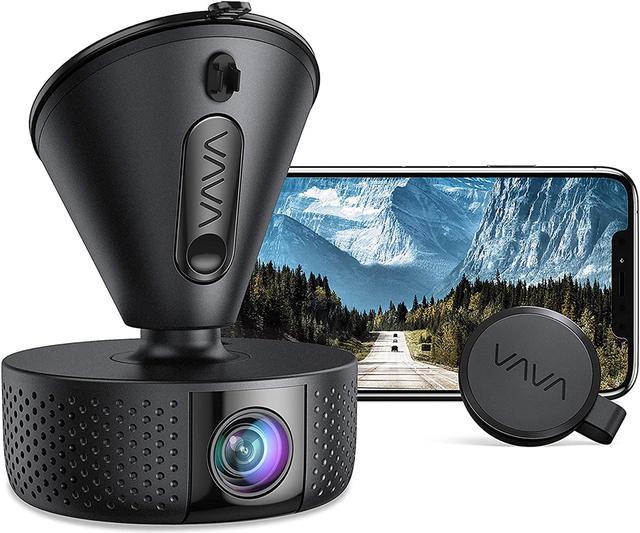
Enable parking mode to record while your car is off. Use a hardwire kit to connect the dash cam to your car’s fuse box. This allows constant power without draining the battery. Adjust sensitivity settings to avoid false alarms from small movements. Park in well-lit areas to improve video quality. Check recorded clips regularly to ensure parking mode works correctly.
Credit: www.newegg.com
Credit: www.techradar.com
Frequently Asked Questions
Does Vava Dash Cam Record When The Car Is Off?
Yes, Vava Dash Cam can record when the car is off, but only if parking mode is enabled. This feature uses a built-in battery or hardwiring kit to monitor and record events while parked. It helps capture incidents like hit-and-runs or vandalism.
How Long Does Vava Dash Cam Record In Parking Mode?
Vava Dash Cam records up to several hours in parking mode, depending on battery capacity or power source. Continuous recording time varies, but the dash cam automatically stops to protect the car battery. It balances surveillance with preserving your vehicle’s power.
Can Vava Dash Cam Drain Car Battery When Off?
Vava Dash Cam may drain the car battery if parking mode runs too long without a hardwired power supply. To avoid battery drain, use a dedicated hardwire kit with low-voltage protection. This setup ensures the dash cam shuts off before your battery is depleted.
Is Parking Mode Available On All Vava Dash Cam Models?
Most recent Vava Dash Cam models support parking mode, but features can vary. Check your specific model’s manual for parking mode availability and instructions. This mode enhances security by recording while your vehicle is parked and turned off.
Conclusion
The Vava dash cam can record even when your car is off. It depends on how you connect it to power. Many models use parking mode to stay active. This helps catch events while you are away. Remember to check your car’s battery to avoid drain.
Using the dash cam this way adds extra safety. It gives you peace of mind while parked. Always read your model’s manual for specific features. This way, you know exactly how it works for you.