
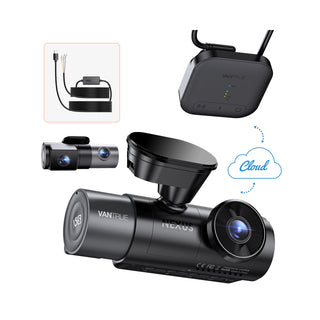
Imagine driving down the road, enjoying your favorite song, when suddenly, an unexpected event unfolds right in front of you. In such moments, having a dash cam can be invaluable.
But here’s a question that might have crossed your mind: does your dash cam record audio in your car? Understanding what your dash cam can capture is crucial, especially when it involves your privacy and security. You might be surprised by how the audio feature can impact the functionality and usefulness of your dash cam.
Get ready to discover the ins and outs of this intriguing topic, and learn how it might just change the way you see your everyday drives. Stick around, because what you learn might just make your next car journey a whole lot smarter.
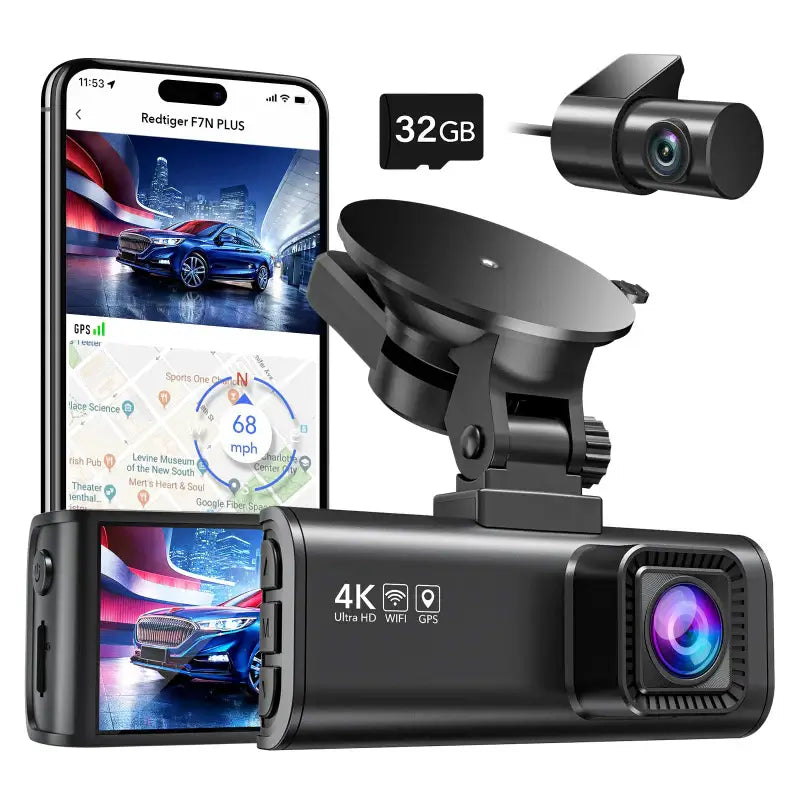
Credit: www.redtigercam.com
Dash Cam Basics
In today’s fast-paced world, dash cams have emerged as a popular tool for drivers, offering an extra layer of security and peace of mind. But how do these small devices operate, and do they record audio inside your car? To answer these questions, let’s dive into the basics of dash cams, exploring their types and core functions.
Types Of Dash Cams
Dash cams come in various forms, each catering to different needs and budgets. The most common type is the single-channel dash cam, which records footage from the front of the vehicle. These are perfect for capturing road incidents and scenic drives.
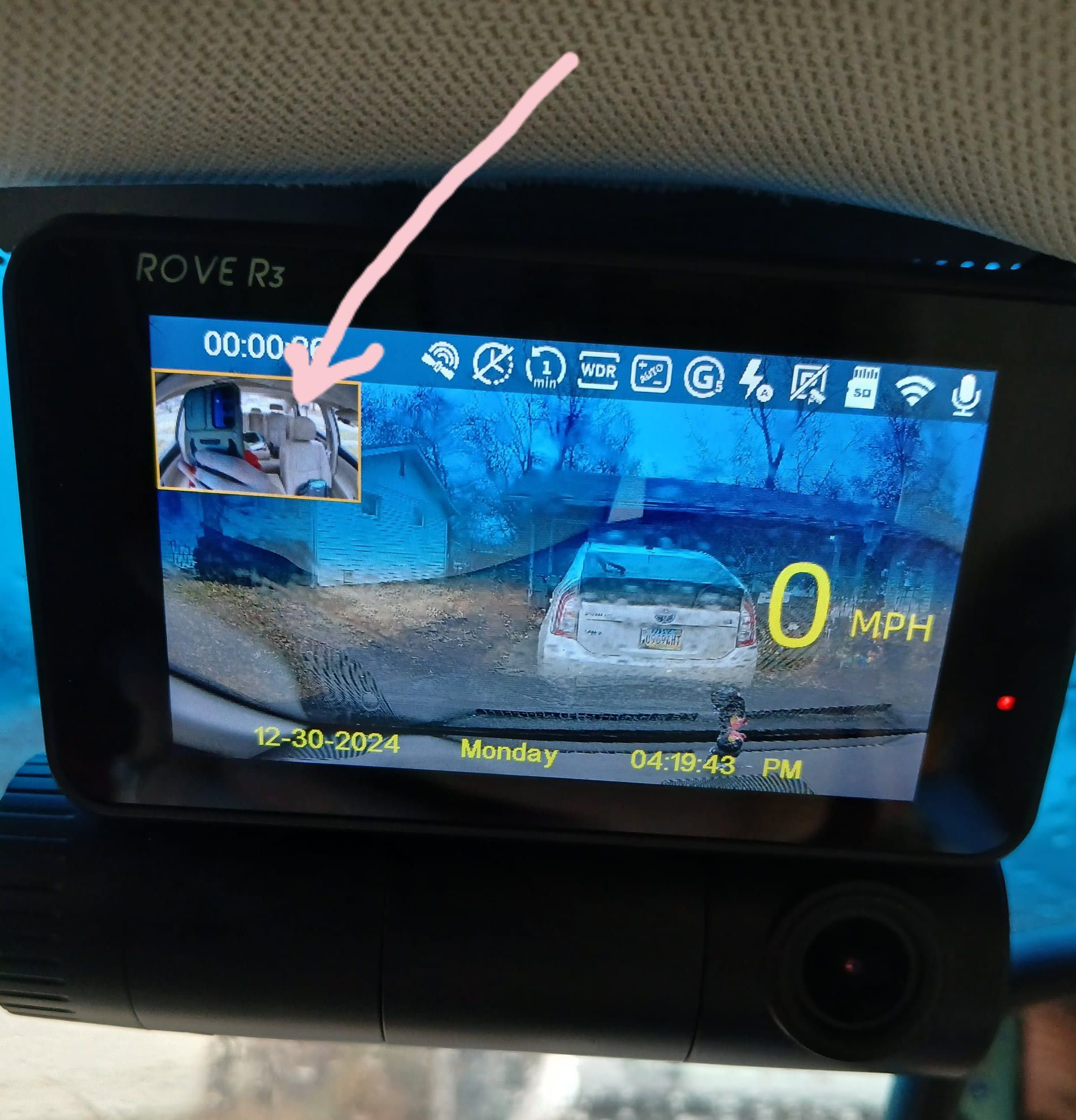
If you’re looking for more comprehensive coverage, a dual-channel dash cam might be your answer. It records both front and rear views, providing a broader perspective of your driving environment. Some models even include a cabin view, which can capture what’s happening inside your car.
For those who want the latest technology, smart dash cams are available. They connect to your smartphone, offering real-time footage streaming and cloud storage options. These cams often include advanced features like GPS tracking and voice control.
Core Functions
At their core, dash cams are designed to record video footage, but many also capture audio. This feature can be incredibly useful for documenting conversations or incidents inside the vehicle. However, it’s essential to be aware of privacy laws regarding audio recording in your location.
Most dash cams automatically start recording when you turn on your car, ensuring you don’t miss critical moments. They often feature loop recording, overwriting old footage to save space, so you don’t have to worry about running out of storage.
Another vital function is the G-sensor, which detects sudden movements or collisions. Upon detection, the dash cam locks the current video clip, preventing it from being overwritten. This ensures you have crucial evidence in case of an accident.
While dash cams are a fantastic tool for capturing video, the inclusion of audio recording raises questions about privacy and legality. Have you considered how this feature might impact your daily drives? Understanding the basics of dash cams can help you make an informed decision about which features align with your needs and values.
Audio Recording Capabilities
Dash cams are becoming an essential tool for drivers, offering video evidence in case of accidents or disputes. But did you know that many dash cams also have audio recording capabilities? Recording audio can provide additional context to captured video, like conversations inside the car or ambient sounds outside. Let’s dive into how these audio features work and what you should consider when using them.
Built-in Microphones
Most dash cams come equipped with built-in microphones, allowing them to record audio seamlessly alongside video footage. These microphones are typically located on the body of the dash cam, ensuring they pick up sounds from inside the vehicle.
Having a microphone can be particularly useful if you want to capture conversations or verbal interactions during a drive. Imagine discussing the route or narrating a scenic drive; these recordings add a personal touch to your video logs.
Audio Quality Factors
Audio quality in dash cams can vary significantly based on several factors. The placement of the microphone plays a crucial role; a microphone positioned too close to the windshield might pick up more road noise than desired.
Another factor is the microphone’s sensitivity. High sensitivity can capture subtle sounds but might also amplify unwanted noise. Adjusting the settings in your dash cam can help balance this. Consider testing your dash cam in different settings to find the optimal audio quality.
Think about this: Does your dash cam capture the sound of rain hitting your windshield, or does it focus on the conversation inside? Understanding these audio factors can help you make the most of your recordings.
Legal Considerations
Considering a dash cam to record audio in your car? It’s essential to understand the legal implications. Recording audio can vary significantly depending on location. Different states and countries have unique laws that you need to consider before capturing conversations in your vehicle. Understanding these legal aspects ensures compliance and avoids potential issues.
Privacy Laws
Privacy laws differ widely. In some regions, recording audio without consent is illegal. These laws aim to protect individuals’ privacy rights. Violating them can lead to severe penalties. In many jurisdictions, recording someone without their knowledge infringes on their privacy. Research the specific laws in your area. Know what is permissible before using your dash cam to record audio.
Consent Requirements
Consent is crucial when recording audio. Some areas require both parties to agree to be recorded. This is known as “two-party consent.” Without consent, recording may be illegal. Other regions have “one-party consent” laws. This means only one person needs to agree to the recording. Always ensure you understand the consent requirements where you live. This prevents legal complications and respects others’ rights.
Credit: www.facebook.com
Benefits Of Audio Recording
Dash cams can record audio, offering a detailed account of events inside the car. Audio captures conversations and sounds, enhancing clarity in incidents.
Incorporating audio recording in dash cams offers numerous benefits. It provides a more comprehensive view of events inside the car. With audio, you capture both sound and visuals, offering a clearer story. This can be crucial in various situations.Enhanced Evidence
Audio recording can strengthen evidence in disputes or incidents. Video alone may not capture all details. Voices can reveal emotions or context. They can clarify misunderstandings in an accident. Audio helps in understanding conversations and intentions. This can be crucial for legal cases or insurance claims.Driver And Passenger Safety
Audio can play a role in ensuring safety inside the car. It can record any verbal threats or aggressive behavior. This is important for rideshare drivers. It offers an added layer of security. Passengers might feel safer knowing their journey is recorded. It can deter potential misconduct. Audio recording ensures a safer environment for everyone.Potential Drawbacks
Dash cams offer security and peace of mind. But recording audio in cars presents challenges. There are potential drawbacks to consider before using this feature.
Privacy Concerns
Recording audio can invade personal privacy. Conversations in cars are often private. Capturing them without consent raises ethical issues. People may feel uncomfortable knowing they are being recorded. This can lead to distrust or tension among passengers.
Audio Misinterpretations
Recorded audio can be misunderstood. Background noise may distort conversations. This can lead to misinterpretation of words or tone. Misunderstandings can cause unnecessary disputes. Clarity in recordings is crucial for accurate understanding.
Choosing The Right Dash Cam
Choosing the right dash cam involves considering if it records audio inside the car. Many dash cams offer audio recording features, which can capture conversations and sounds for added context during incidents. Check privacy settings and local laws before enabling audio recording in your dash cam.
Choosing the right dash cam can feel overwhelming. With various features and models, making a decision requires careful thought. A dash cam not only records the road but also captures audio inside your car. Selecting the ideal device ensures both safety and clarity in recordings.Key Features To Consider
When selecting a dash cam, focus on essential features. First, ensure the camera offers high-resolution video. Clear footage helps in identifying details during incidents. Next, check for wide-angle lenses. They capture more of the road, providing a comprehensive view. Audio recording is another important feature. It allows capturing conversations or sounds inside the car. Some dash cams come with built-in GPS. This feature logs your location and speed, providing useful data during disputes. Night vision is crucial for low-light conditions. It ensures the camera records clear footage even in darkness. Lastly, consider the storage options. A dash cam with expandable memory is ideal for long recordings.Top Recommendations
Here are some top dash cam recommendations to consider:- Garmin Dash Cam 66W: Offers high video quality and GPS tracking.
- Vantrue N2 Pro: Features dual cameras with excellent night vision.
- Nextbase 522GW: Includes Alexa integration and emergency SOS.
- Rexing V1: Provides a discreet design with wide-angle coverage.
- Thinkware F800 Pro: Equipped with advanced parking mode and GPS.
Installation And Setup Tips
Dash cams can record audio inside cars, capturing conversations and sounds. Ensuring proper setup involves checking audio settings and legal considerations. Adjust microphone sensitivity for clear recordings.
Installing and setting up a dash cam can seem daunting, but with a few tips, you can ensure your device records high-quality video and audio. A well-installed dash cam not only captures clear footage but also records crisp audio that can be crucial for insurance claims or legal matters. Let’s dive into how you can achieve an optimal setup for your dash cam.Positioning For Optimal Recording
Positioning your dash cam correctly is crucial for capturing the best footage. Mount the dash cam behind your rear-view mirror. This position keeps it out of your line of sight but offers a full view of the road. Ensure the lens points straight ahead and is level with the horizon. A tilted camera might capture more dashboard than road. Secure the cables neatly along the edges to prevent obstruction and maintain a clean interior look.Settings For Audio Recording
Audio recording settings can often be adjusted directly on the dash cam. Make sure the microphone is turned on in the settings menu. Check if your dash cam allows you to adjust the audio sensitivity. Higher sensitivity might pick up more background noise, while lower settings focus on clearer sounds. Consider privacy laws in your area. In some regions, recording audio without consent is illegal, so it’s crucial to know what’s permissible before recording audio in your car. Are you ready to capture every moment on the road? A properly set up dash cam can be your silent witness, recording both sights and sounds effortlessly.
Credit: www.youtube.com
Faqs On Dash Cam Audio
Dash cams have become essential companions for many drivers, offering a sense of security and accountability on the road. But when it comes to audio recording, there are often questions and concerns about functionality, legality, and privacy. This section addresses some of the most common queries about dash cam audio, providing you with the insights you need to make informed decisions.
Common Questions
Many wonder if all dash cams are equipped to record audio. The answer is that most modern dash cams do come with a built-in microphone, allowing for audio recording. However, it’s crucial to check the specifications of your particular model.
Another frequent question involves the legality of recording audio. Audio recording laws vary by location, so it’s important to be aware of your region’s regulations to ensure you are compliant. Some places require consent from all parties being recorded, while others do not.
Privacy concerns also arise. People often worry about who might have access to the recorded audio. Typically, audio files are stored locally on the dash cam’s memory card and are not automatically shared unless uploaded manually.
Troubleshooting Audio Issues
Experiencing issues with your dash cam’s audio can be frustrating. A common problem is poor audio quality, which could be due to a faulty microphone or external noise interference. Testing the microphone in a quiet setting can help determine if there’s a defect.
If your dash cam isn’t recording audio at all, check the settings. Some models have the audio recording feature turned off by default. Make sure the microphone is enabled in the settings menu.
Intermittent audio loss can also be an issue. This might occur if the memory card is full or corrupted. Regularly check and format your memory card to ensure it functions correctly.
Have you faced audio issues with your dash cam? What steps did you take to resolve them? Sharing your experiences can help others facing similar challenges.
Frequently Asked Questions
Can Dash Cams Record Sound In Cars?
Yes, most dash cams can record audio along with video footage. This feature helps capture conversations or background noise inside the vehicle. However, it’s important to check the model specifications, as some dash cams may not have built-in microphones.
Is Recording Audio In Cars Legal?
Recording audio in cars is legal in most places, but it varies by region. Always check local laws regarding audio recording to ensure compliance. Some areas require consent from all parties being recorded to avoid legal issues.
How To Enable Audio Recording On Dash Cams?
To enable audio recording, check your dash cam settings menu. Locate the audio or microphone option and switch it on. Ensure your dash cam model supports audio recording, as not all models have this feature.
Do Dash Cams Record Audio Continuously?
Yes, dash cams record audio continuously while they are powered on. This is useful for capturing ongoing conversations or sounds in the vehicle. However, audio recording can usually be toggled on or off in the settings.
Conclusion
Dash cams do record audio in cars. Audio recording can enhance evidence. It captures conversations and sounds around the vehicle. Privacy laws can affect audio recording use. Always check local laws before using this feature. Some people prefer turning audio off for privacy.
Others find it valuable for detailed records. Choose what’s best for your needs. Dash cams offer safety and security benefits. Understanding their features helps make informed choices. Audio recording is one part of the big picture. Select wisely to suit your personal and legal requirements.
Stay safe and informed on the road.