

Ever found yourself wondering if your dash cam could be silently draining your car battery? You’re not alone.
As a car owner, you want the peace of mind that comes with knowing your dash cam is keeping an eye on things when you’re not around. But you also need to ensure it isn’t causing unexpected headaches by sapping your battery power.
This can be a real concern, especially if you rely on your vehicle daily. Imagine hopping into your car for a crucial meeting or a long-awaited road trip, only to discover a dead battery. Frustrating, right? That’s why it’s essential to understand how dash cams interact with your car’s electrical system. We will unravel the mystery behind dash cams and battery drainage, helping you to safeguard your car’s power and get the most out of your dash cam without any unnecessary worry. Keep reading to learn how to keep your car in top shape while enjoying the benefits of your dash cam.

Credit: driveyetech.com
Dash Cam Basics
Dash cams have become an essential tool for many drivers, offering peace of mind and security on the road. Whether you’re looking to record scenic drives or safeguard against potential accidents, understanding the basics of dash cams is crucial. Let’s explore how these devices work and the different types available to suit your needs.
How Dash Cams Work
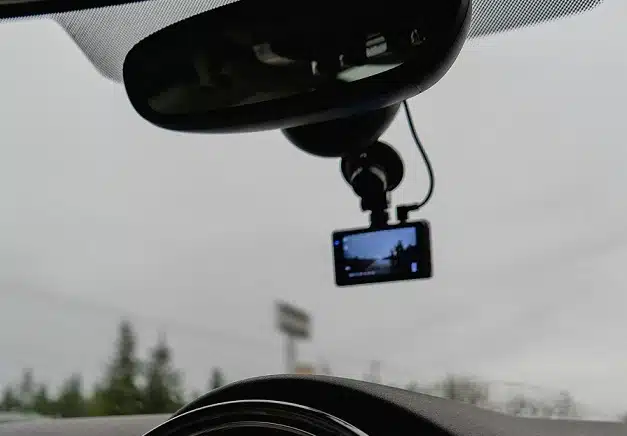
Dash cams are designed to continuously record video while you drive. They are typically mounted on the windshield or dashboard and connected to your car’s power supply. Most dash cams start recording automatically when you turn on your vehicle, ensuring you don’t miss any important moments on the road.
These devices use loop recording, which means they overwrite old footage when the memory card is full. This feature ensures your dash cam never stops capturing footage. Some models include motion sensors, allowing them to start recording even when your car is parked.
Types Of Dash Cams
There are several types of dash cams, each catering to different needs and preferences. Single-channel dash cams record video from the front of your vehicle, providing a straightforward solution for capturing your driving experience.
Dual-channel dash cams offer more comprehensive coverage by recording both the front and rear views. This type is ideal for those who want added security and a broader perspective of their surroundings.
For tech enthusiasts, smart dash cams come equipped with additional features like GPS tracking, Wi-Fi connectivity, and advanced driver assistance systems. These extras can enhance your driving experience and provide more detailed information about your journeys.
Have you ever considered which type of dash cam might be best for your driving habits and security needs? Selecting the right dash cam can make all the difference in capturing those critical moments.
Power Consumption Factors
Understanding the power consumption of dash cams is crucial for car owners. Dash cams are increasingly popular for recording journeys and ensuring road safety. They can potentially drain your car battery if not managed properly. Several factors influence how much power your dash cam uses. Knowing these can help prevent battery issues.
Energy Needs Of Dash Cams
Dash cams use energy to operate and record footage. Their basic function requires a constant power supply. Most dash cams draw power from the car’s electrical system. This connection can affect your battery life. It’s important to check the dash cam’s power requirements before installation. Some models are more energy-efficient than others. Compact models generally consume less power.
Impact Of Recording Modes
Recording modes play a significant role in power consumption. Continuous recording mode uses more energy than event-triggered modes. In continuous mode, the camera records non-stop. This constant activity drains more power. Event-triggered modes activate only when motion is detected. They save energy by recording selectively. Choosing the right mode can reduce battery drain.
Additional Features And Power Usage
Many dash cams offer extra features that consume power. GPS tracking, Wi-Fi connectivity, and parking mode can increase energy usage. These features enhance functionality but demand more power. GPS tracking keeps detailed logs of your journey. Wi-Fi allows easy transfer of footage to devices. Parking mode monitors your car when parked, using extra energy. Understand these features and their impact on power consumption. Opt for features you truly need to minimize battery drain.
Potential Battery Drain
Potential battery drain is a common concern for car owners using dash cams. These devices, while offering invaluable security and documentation, can sometimes lead to unexpected issues. Understanding how and when a dash cam might drain your car battery can help you use it more wisely and avoid potential problems.
Scenarios Leading To Battery Drain
Dash cams are typically powered by the car’s battery, and this can lead to battery drain under certain conditions. If your dash cam is constantly recording or set to stay active even when the car is off, it draws power continuously. This is especially true for long-duration parking periods. Imagine leaving your car parked for days while on vacation; your dash cam might still be recording, sapping your battery slowly but surely.
Another scenario is using a high-power dash cam model that requires more energy. These models often have features like high-resolution video, GPS tracking, and Wi-Fi connectivity, which can further drain your battery if not managed properly. It’s crucial to check the specifications of your dash cam and understand its power requirements.
Impact Of Parking Mode
Parking mode is a feature in many dash cams designed to record incidents while your car is parked. While this is beneficial for security, it can be a significant drain on your car battery. Parking mode often keeps the dash cam in a low-power state but ready to record when motion or impact is detected. This readiness requires a constant power supply, which can deplete your battery if your car is parked for extended periods.
To mitigate this, some dash cams come with a voltage cut-off feature. This means the dash cam will automatically shut off when the car battery reaches a certain voltage level, preventing a complete battery drain. Consider using this feature if you frequently rely on parking mode.
Effects On Older Batteries
Older car batteries are more susceptible to drain issues when using a dash cam. As batteries age, their capacity to hold a charge diminishes, making them more prone to depletion from additional devices. If your car battery is nearing the end of its lifespan, a dash cam can exacerbate its decline.
Think about whether your battery has struggled with other electronics in the past. If yes, it might be time to consider a battery upgrade or periodically checking the battery health. Regular maintenance can ensure your dash cam doesn’t become a silent culprit in your battery’s demise.
Have you ever faced unexpected battery drain due to a dash cam? Understanding these scenarios can help you avoid similar situations in the future, ensuring your dash cam serves its purpose without causing inconvenience.
Preventing Battery Drain
Dash cams can drain a car battery if left running for long periods. Using parking mode helps conserve battery power. Disconnecting the dash cam when the car is off also prevents unnecessary battery drain.
Preventing battery drain is a concern for many dash cam users. Dash cams offer great security but can sometimes drain your car battery. Understanding how to prevent this can save you trouble. Here are some effective strategies.Using Battery Management Systems
Battery management systems (BMS) help monitor battery health. They ensure your battery doesn’t over-drain. BMS can cut power to the dash cam when the battery is low. This prevents the battery from dying completely. It’s like a safeguard for your car battery.Hardwiring Vs. Cigarette Lighter Connection
Hardwiring connects the dash cam directly to the car’s electrical system. This option is more stable. It can also allow the use of parking mode features. However, it requires professional installation. Using the cigarette lighter connection is simpler. You can plug and unplug it easily. This method doesn’t require installation. However, it can only be used when the engine is running. Choose based on your needs and convenience.Setting Up Power Cut-off Devices
Power cut-off devices are useful tools. They disconnect the dash cam when the battery reaches a certain level. This prevents excessive battery drain. Some devices allow you to set the cut-off voltage. Such customization ensures the battery remains healthy. These devices are easy to install. Most come with clear instructions. They are an excellent option for those who want to protect their battery life.Choosing The Right Dash Cam
Choosing the right dash cam ensures your car battery stays healthy. Dash cams can drain your battery if not selected carefully. Focus on energy-efficient models with smart features. User reviews can guide you in making an informed choice.
Energy-efficient Models
Opt for dash cams designed to use less power. These models have low energy consumption, preserving battery life. Look for models with efficient power management systems. They switch off automatically when the car is idle.
Features To Consider For Low Power Use
Find dash cams with motion detection. They activate only when they sense movement. Choose models with a parking mode. This mode uses minimal power when your car is parked. Seek dash cams with low voltage protection. They prevent battery drain by shutting off at low voltage.
User Reviews And Recommendations
User reviews offer insights into real-world performance. Check for feedback on battery usage. Recommendations highlight models with positive experiences. Find reviews that focus on energy efficiency and reliability. Users often share tips on optimizing dash cam settings for battery health.
Credit: www.seeworldgps.com
Expert Insights
Understanding if dash cams can drain your car battery is crucial for car owners. Dash cams may draw power even when the car is off. It’s essential to install them correctly to prevent battery issues.
Understanding whether dash cams drain car batteries can be quite puzzling for many drivers. While dash cams offer invaluable evidence in case of accidents, there’s a lingering concern about their impact on battery life. To shed light on this issue, we’ve gathered expert insights from automotive technicians and dash cam manufacturers. Their opinions and tips can help you make an informed decision.Opinions From Automotive Technicians
Automotive technicians often emphasize the importance of installation. A dash cam wired incorrectly can indeed drain your car battery. One technician mentioned a case where a faulty installation led to a customer needing a jump start every morning. Technicians suggest ensuring that your dash cam is wired to a switched power source. This means the camera turns off when the ignition is off, preventing battery drain. They also recommend periodic checks of your car’s battery health, especially if you’re using a dash cam daily. Is your dash cam running constantly even when the car is off? This could be a sign of incorrect wiring or a malfunctioning device. Consulting with a technician can save you from future headaches and battery replacements.Tips From Dash Cam Manufacturers
Dash cam manufacturers have their own insights to share. Many now design their products with features to minimize battery drain. Some offer built-in voltage cut-off functions that automatically turn off the camera when the battery drops to a certain level. Manufacturers advise using a dedicated power management system. This ensures your dash cam does not deplete the car battery. They also recommend checking the user manual for specific settings that optimize battery usage. Ever wondered if parking mode is safe for your battery? Manufacturers generally assure that, with the right settings and devices, parking mode can be used without significant battery drain. However, it’s crucial to choose a quality dash cam with efficient power management. By aligning the expertise of technicians and manufacturers, you can enjoy the benefits of a dash cam without worrying about your car battery.
Credit: www.vantrue.com
Frequently Asked Questions
Can A Dash Cam Drain Your Car Battery?
Yes, a dash cam can drain your car battery if it is continuously powered. Most modern dash cams have a low power consumption, but if left on for extended periods, especially overnight, it may deplete the battery. Using parking mode features or an external battery pack can help prevent this.
How Long Can A Dash Cam Run On A Car Battery?
A dash cam can typically run on a car battery for about 8-12 hours. This depends on the battery’s health and capacity. For longer durations, consider using a low-voltage cutoff device. This prevents the battery from draining completely and ensures your vehicle starts without issues.
Should I Disconnect My Dash Cam Overnight?
It is advisable to disconnect the dash cam overnight to prevent battery drain. Alternatively, use a dash cam with a parking mode feature. This ensures the camera uses minimal power and records only when motion or impact is detected. This way, battery drain is minimized.
What Is Parking Mode In Dash Cams?
Parking mode allows dash cams to record while the car is parked. It consumes minimal power and activates only upon detecting motion or impact. This feature helps in capturing important events without significantly draining the car battery. It’s ideal for protecting your vehicle when unattended.
Conclusion
Dash cams are useful, but can affect car battery life. Choosing the right dash cam is key. Some models use less power than others. Keep your car’s battery healthy by using a smart charger. Disconnect the dash cam when not in use for long periods.
Consider using a parking mode with a timer feature. This helps prevent battery drain. Regularly check your car battery condition. A healthy battery means peace of mind. Stay informed and make wise choices for your car’s needs. Your car’s battery longevity matters.