
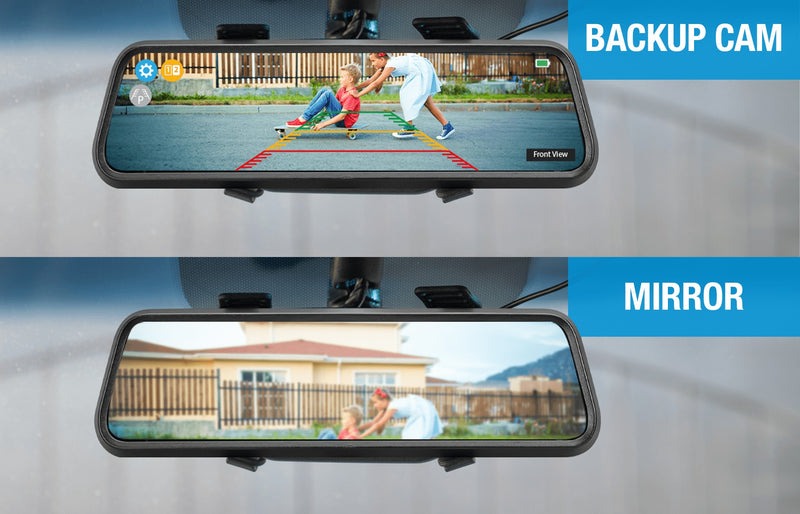
Have you ever found yourself craning your neck while reversing, hoping to avoid any hidden obstacles? If parking feels like a nerve-wracking adventure, you might have considered the possibility of adding a backup camera to your car.
This tiny technological marvel can transform your driving experience, offering peace of mind and enhancing safety with every reverse maneuver. But can you really add a backup camera to your existing car? And if so, how complicated is the process?
You’re not alone in asking these questions. We will unravel the mysteries surrounding backup camera installation, guiding you on a path to safer, stress-free driving. Read on to discover how this simple upgrade can change the way you navigate your vehicle, making it feel like new again.
Benefits Of Adding A Backup Camera
Enhancing safety, a backup camera helps prevent accidents while reversing. It provides a clear view of blind spots, reducing the risk of hitting obstacles. Easy to install, this feature is a valuable addition to any car, offering peace of mind on the road.
Adding a backup camera to your car can significantly enhance your driving experience. Backup cameras provide an extra layer of safety and convenience. They are especially useful in preventing accidents and ensuring the well-being of pedestrians. These cameras offer several advantages that can make driving and parking easier for everyone.Enhanced Safety
Backup cameras reduce blind spots while reversing. They offer a clear view of the area behind your car. This visibility helps avoid accidents and injuries. Drivers can see children, pets, or other obstacles. These cameras are crucial for safe driving in crowded areas.Ease Of Parking
Parking becomes easier with a backup camera. Drivers can maneuver their vehicles into tight spots with confidence. The camera provides a clear view, making parallel parking simpler. It reduces the stress of parking in busy lots.Accident Prevention
Backup cameras help prevent minor collisions. Drivers can see obstructions behind the car. This visibility reduces the risk of bumping into objects. It helps avoid scratches and dents on the vehicle.Improved Driving Confidence
Drivers feel more confident with a backup camera. They can reverse their cars with ease. This confidence leads to a more relaxed driving experience. It is especially helpful for new drivers.Increased Vehicle Value
Installing a backup camera can increase your car’s value. Buyers often seek cars with modern safety features. A backup camera makes the car more appealing. It can be a strong selling point during resale.Compliance With Safety Regulations
Some regions require backup cameras in vehicles. Installing one ensures compliance with local laws. It helps avoid fines and penalties. This makes the car safer and legally sound.Types Of Backup Cameras
Adding a backup camera to a car is possible with various types available. Wireless cameras offer easy installation, while wired cameras provide reliable connections. Many modern systems include wide-angle lenses and night vision for enhanced safety.
Adding a backup camera to your car is a smart upgrade. It enhances safety and convenience. Different types of backup cameras suit various needs and budgets. Understanding these options helps you choose the best fit.Wired Cameras
Wired cameras offer reliable image quality. They connect directly to your car’s display. Installation might be complex due to routing wires. Professional help could be necessary. These cameras often provide clear and steady images.Wireless Cameras
Wireless cameras are easier to install. They transmit signals without extensive wiring. You can install them yourself with basic tools. Signal interference might affect image quality. They are popular for their simplicity and flexibility.License Plate Cameras
License plate cameras integrate with your car’s design. They mount easily on the license plate frame. This discreet option doesn’t alter your car’s appearance much. Image quality varies by model. Always check compatibility with your vehicle.Oem Replacement Cameras
OEM replacement cameras match your car’s factory specifications. They blend seamlessly with existing systems. Often they offer the best quality and integration. Installation might require professional assistance. They typically provide superior performance. Each camera type has its unique benefits. Consider your needs and budget. Make sure to verify compatibility with your vehicle.Choosing The Right Backup Camera
Adding a backup camera to a car is possible and can enhance safety. Consider compatibility, installation ease, and quality before purchasing. Choose a camera that fits your vehicle’s make and model seamlessly for optimal performance.
Choosing the right backup camera for your car can be overwhelming. Various options exist, each with its own features and price points. Understanding your needs and vehicle compatibility is key. Here’s a guide to help you make an informed decision.Compatibility With Your Vehicle
Ensure the camera fits your car’s make and model. Check the wiring and mounting requirements. Some vehicles have existing screens that support backup cameras. Confirm that the camera integrates smoothly with your current system. If your car lacks a built-in display, consider a camera with an included monitor.Camera Quality And Features
Look for high-resolution cameras for clear images. Consider night vision capabilities for low-light conditions. Wide-angle lenses offer better visibility, reducing blind spots. Parking guidelines can assist in precise maneuvering. Wireless cameras simplify installation, avoiding complex wiring. Also, verify the camera’s durability against weather conditions.Budget Considerations
Backup cameras come in various price ranges. Set a budget that balances quality and affordability. Basic models are budget-friendly but may lack advanced features. Mid-range options often provide a good mix of quality and functionality. High-end cameras offer additional features, but at a higher price. Choose a camera that fits your needs without exceeding your budget.Installation Process Overview
Adding a backup camera to your car can significantly enhance your driving experience, especially when parking in tight spaces or reversing in busy areas. The installation process might seem daunting at first, but with the right guidance, it becomes a manageable DIY project. Understanding the tools, materials, and steps involved can empower you to successfully install a backup camera on your own.
Required Tools And Materials
Before diving into the installation, gather all the necessary tools and materials to ensure a smooth process.
- Backup Camera Kit:Includes the camera, wiring, and display screen.
- Screwdrivers:Both Phillips and flathead for removing and securing panels.
- Wire Strippers:Essential for preparing wires for connection.
- Electrical Tape:For securing wire connections.
- Drill:Might be required if the camera needs to be mounted on a metal surface.
- Multimeter:Useful for checking electrical connections.
Step-by-step Installation Guide
The installation of a backup camera involves several key steps that you can easily follow.
- Choose the Camera Position:Typically, the best spot is just above the license plate. This location provides a clear view and is less invasive.
- Mount the Camera:Secure the camera using screws or adhesive, depending on your kit. Ensure it is firmly attached to avoid vibrations while driving.
- Run the Wiring:Carefully thread the camera’s wires through the trunk or rear hatch. Use zip ties to keep them tidy and out of the way.
- Connect to the Reverse Light:Splice the power wire into the reverse light circuit. This ensures the camera activates when the car is in reverse.
- Install the Display:Place the screen on your dashboard or rearview mirror. Connect the video cable from the camera to the display unit.
- Test the System:Once everything is connected, put your car in reverse to test the camera. Adjust the angle if necessary for the best view.
Have you considered the convenience and safety a backup camera can bring to your daily driving routine? Taking the time to install one could make all the difference in avoiding minor accidents and enhancing visibility. With these steps, you might find the task simpler than expected, turning a challenging project into a rewarding experience.
Common Installation Challenges
Adding a backup camera to a car often involves wiring complexities. Compatibility with existing systems can pose a challenge. Proper placement is crucial for optimal visibility.
Installing a backup camera in your car can significantly enhance your driving experience, offering an extra layer of safety and convenience. However, the process isn’t always a straightforward plug-and-play situation. You might encounter a few common installation challenges that could test your patience and skills.Wiring Complications
One of the biggest hurdles you might face is dealing with the wiring. Modern vehicles come with complex electrical systems, making it tricky to find the right connections. You need to locate the reverse light wire to power the camera, which could be challenging, especially in newer car models. It’s crucial to ensure a secure connection to avoid any short circuits. Consider using a multimeter to identify the correct wires if you’re unsure. Always double-check your connections before sealing everything back up.Signal Interference
Signal interference is another common issue, particularly with wireless backup cameras. You might experience a fuzzy image or delayed video feed, which can be frustrating. This often happens due to obstacles or electronic devices disrupting the signal. To mitigate this, try repositioning the camera or the receiver for a clearer line of sight. If the issue persists, you might need to invest in a better quality camera or consider a wired option for a more stable connection.Camera Positioning
Choosing the right spot for your backup camera can impact its effectiveness. Mounting it too high could limit the view of obstacles directly behind the car. On the other hand, positioning it too low might expose it to dirt and debris. Aim for a spot near the license plate or bumper for optimal visibility. Remember, the goal is to cover blind spots without compromising the camera’s durability. Adjusting the angle slightly downward can help capture more of the ground, reducing the risk of missing low-lying objects. Have you faced any of these challenges during your installation? Or perhaps you found a unique solution that worked for you? Share your experiences and insights in the comments below!
Credit: www.youtube.com
Maintenance And Troubleshooting
Adding a backup camera to your car improves safety and convenience. Many vehicles can accommodate aftermarket cameras easily. Understanding compatibility and installation steps ensures a smooth process.
Installing a backup camera in your car enhances safety. Like any tech, it needs care. Proper maintenance ensures it works well. Troubleshooting common issues keeps it reliable. Let’s dive into key tips for keeping your backup camera in top shape.Regular Maintenance Tips
Regular checks prevent problems. Clean the camera lens often. Dirt and debris can blur the view. Use a soft cloth to wipe it gently. Check the wiring for wear. Loose connections cause disruptions. Inspect for cracks or exposed wires. Replace damaged parts quickly. Test the camera frequently. Ensure it displays clear images. Verify alignment for accurate angles. Keep the monitor clean. Smudges affect visibility. Use a screen cleaner for clarity.Troubleshooting Common Issues
Sometimes, the camera might not work. Identify the problem first. A blank screen often means power issues. Check the fuse and connections. Ensure the camera is getting power. Flickering images suggest a loose connection. Inspect the wiring and secure it. If the image is distorted, check alignment. Adjust the camera angle for a better view. Poor image quality? Clean the lens thoroughly. Persistent issues may need professional help. Consult a technician for complicated problems.Legal And Safety Considerations
Adding a backup camera to your car can enhance both convenience and safety. It’s important to consider legal and safety aspects before making any modifications. Understanding these factors ensures compliance and enhances driving security.
Regulations And Compliance
Before installing a backup camera, check local regulations. Some regions have specific rules about vehicle modifications. Ensure your backup camera meets these standards. This avoids fines or legal issues.
Car manufacturers often follow certain guidelines for safety features. When adding a backup camera, ensure it aligns with these standards. This ensures your vehicle remains road-legal and safe.
Improving Driving Safety
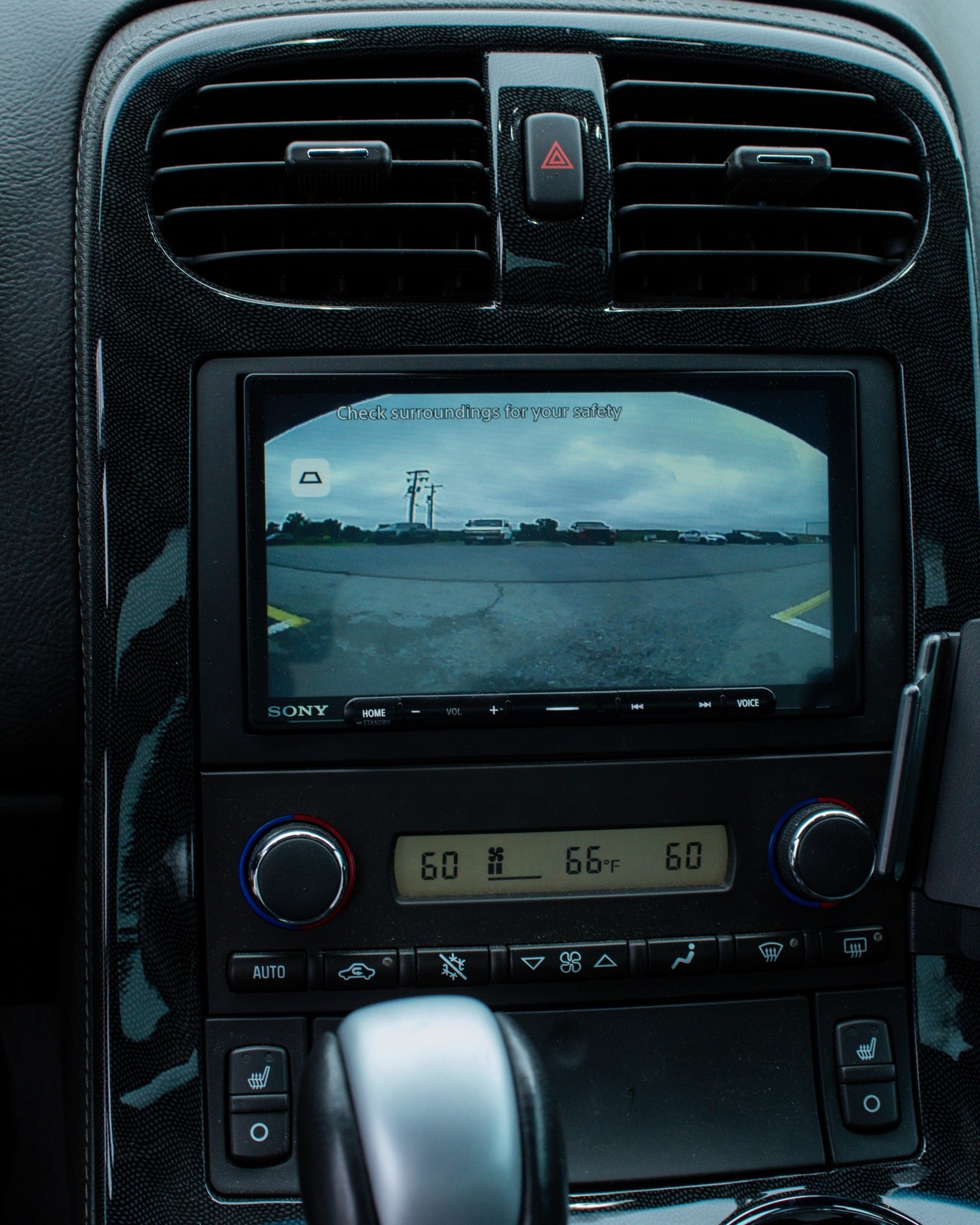
A backup camera improves visibility while reversing. It reduces blind spots and potential accidents. This can be especially helpful in crowded areas or tight parking spots.
Drivers feel more confident with a clear rear view. This confidence leads to safer driving practices. A backup camera can prevent collisions with objects or pedestrians.
Proper installation is crucial for the camera’s effectiveness. Ensure the camera is positioned correctly for optimal view. This enhances safety and helps avoid mishaps.
Credit: www.facebook.com

Credit: www.tiktok.com
Frequently Asked Questions
Can You Install A Backup Camera Yourself?
Yes, you can install a backup camera yourself. Many kits come with detailed instructions. Basic tools and some patience are required. However, professional installation ensures optimal performance and safety. If you’re not confident in your skills, consider hiring a professional.
How Much Does A Backup Camera Cost?
The cost of a backup camera varies. Basic models start around $50, while advanced systems can exceed $500. Installation costs vary too, depending on complexity. DIY installation saves money, but professional service ensures reliability. Consider your needs and budget when choosing a system.
Does Adding A Backup Camera Improve Safety?
Yes, adding a backup camera improves safety by enhancing rear visibility. It helps prevent accidents and protects pedestrians. Backup cameras are especially useful in tight parking spaces. They provide a broader field of view than mirrors alone. Always combine with careful driving for best results.
Are Backup Cameras Compatible With All Vehicles?
Most vehicles can accommodate a backup camera. Compatibility depends on the car’s make and model. Older vehicles may require additional modifications. Check with the manufacturer or a professional installer for guidance. Ensure your chosen system fits your vehicle’s specifications before purchasing.
Conclusion
Adding a backup camera to your car is a smart choice. It boosts safety and eases parking. Many options fit different budgets. Installation might need a professional. Always check compatibility before buying. You gain confidence on the road. Peace of mind is priceless.
Backup cameras can prevent accidents. They enhance your driving experience. Research and choose what suits your needs best. Enjoy a safer journey. Make driving more enjoyable with this simple upgrade.